
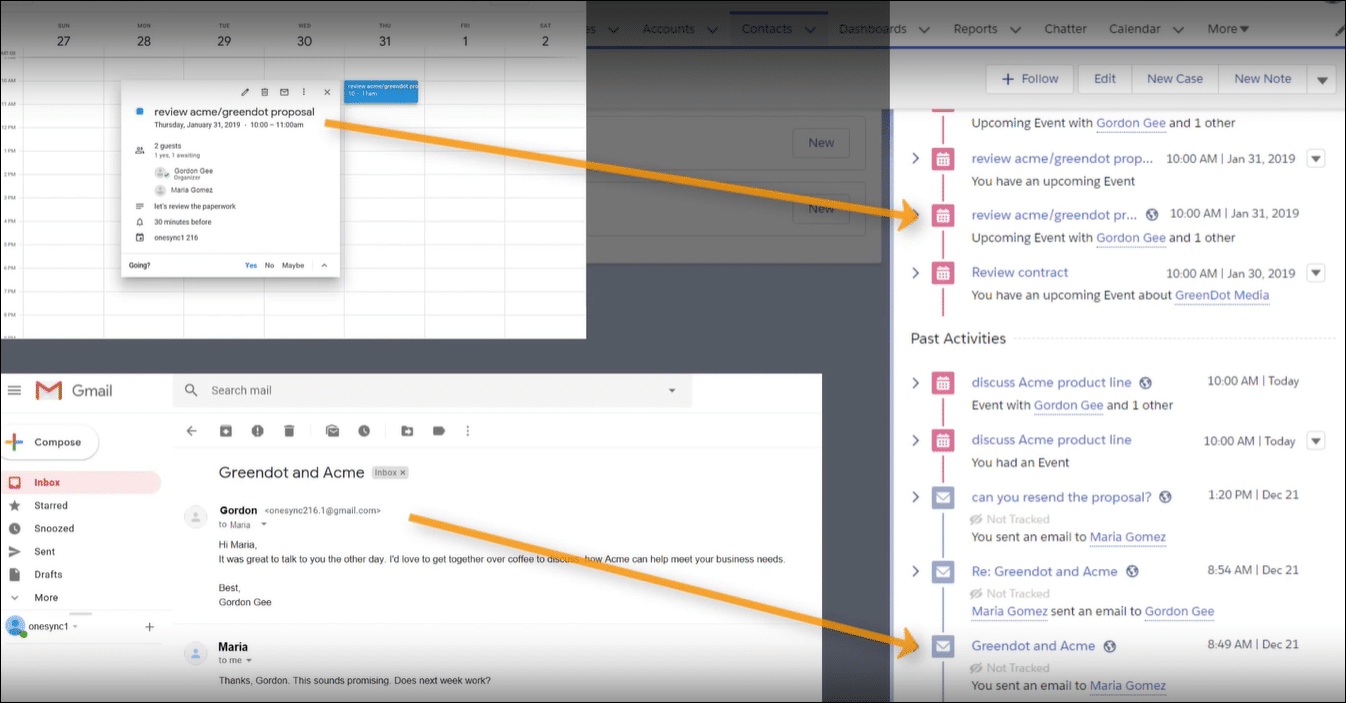
Introduction
Many Salesforce admins run into issues with Einstein Activity Capture when contacts do not sync as expected. The setup can be confusing, especially when deciding if internal email domains should be excluded. The syncing rules also affect whether activities from non-owners get captured. Understanding these challenges is key to better data flow between email and Salesforce.
Real-world Experience
Consider this real-world example that highlights the frustration:
I've been struggling with our contact sync setup. Should I add our internal domain to the excluded list or not? And how do I capture all user activity on a contact?
This example shows a common challenge: many admins face choices about filtering contact sync, leading to incomplete activity data in Einstein Activity Capture.
Einstein Activity Capture Solution
A community-tested approach is to first check each setting in a Sandbox environment. In testing, ensuring that internal domains are not excluded and using the proper contact filter has shown promise. These adjustments help improve sync accuracy between email and Salesforce. Below are the steps needed to resolve this issue:
Review Excluded Addresses
Go to the Einstein Activity Capture settings and verify the Excluded Addresses list. Remove your internal domain if you want its activities to sync.
Adjust Contact Filter Settings
Decide whether to use the Contact Owner filter or All Contacts. For broader activity capture, test the All Contacts option, while mindful of extra data syncing.
Test in a Sandbox
Before making changes in Production, replicate your settings in a Sandbox. Verify that contact activities sync as expected with the new configuration.
Deploy and Monitor in Production
Once testing shows clear results, implement the changes in Production. Monitor the sync to ensure that activities consistently appear on Salesforce.
Limitations to Consider
This solution may not catch every sync detail. Occasional delays or data mismatches can still occur, and admins may need to re-check settings when updates happen. Long-term, the configuration may require regular tuning as your contacts and user behaviors change.
Alternative Solution
It can be really frustrating when Einstein Activity Capture falls short and leaves you with sync issues that make managing your contacts a hassle. DryMerge offers a different approach designed to tackle these specific gaps. DryMerge is an AI-native app that connects directly with Salesforce and your email and calendar sources so that your information is updated reliably. It works by turning unstructured data into organized records, reducing duplicate entries and sync glitches. With its smart AI, DryMerge enriches your data by picking out only the parts that matter for your work, helping you keep your system in order and reducing the need for extra manual steps.
EAC vs. DryMerge Comparison
| Feature | Einstein Activity Capture | DryMerge |
|---|---|---|
| Custom Object Sync | Automatic sync to custom objects isn't supported | Emails, calendar events, and anything else can be synced to your custom objects in Salesforce |
| Email Attachments | Attachments are not captured or saved to Salesforce | Email attachments are captured and saved in Salesforce however you need |
| Multiple Email Accounts | Cannot connect to both Gmail and Outlook simultaneously | Connects to both Gmail and Outlook simultaneously |
| Unstructured Data Processing | Limited ability to extract and organize meaningful data from unstructured email content | AI processing of unstructured email content to extract key details and create structured records |
| Data Enrichment | Basic activity logging with minimal data enrichment capabilities | Intelligent enrichment that pulls contact details, action items, and key insights from communication data |
By addressing these key limitations of Einstein Activity Capture, DryMerge offers a comprehensive solution that empowers your team with superior data handling capabilities. From intelligent processing of unstructured data to advanced enrichment features, DryMerge transforms your communication data into actionable insights while providing the flexibility to work with custom objects and multiple email accounts.
Tired of Einstein Activity Capture issues?
We'd love to show you how DryMerge handles emails, calendar events, and unstructured data extraction more reliably and accurately than Einstein Activity Capture.